Notes
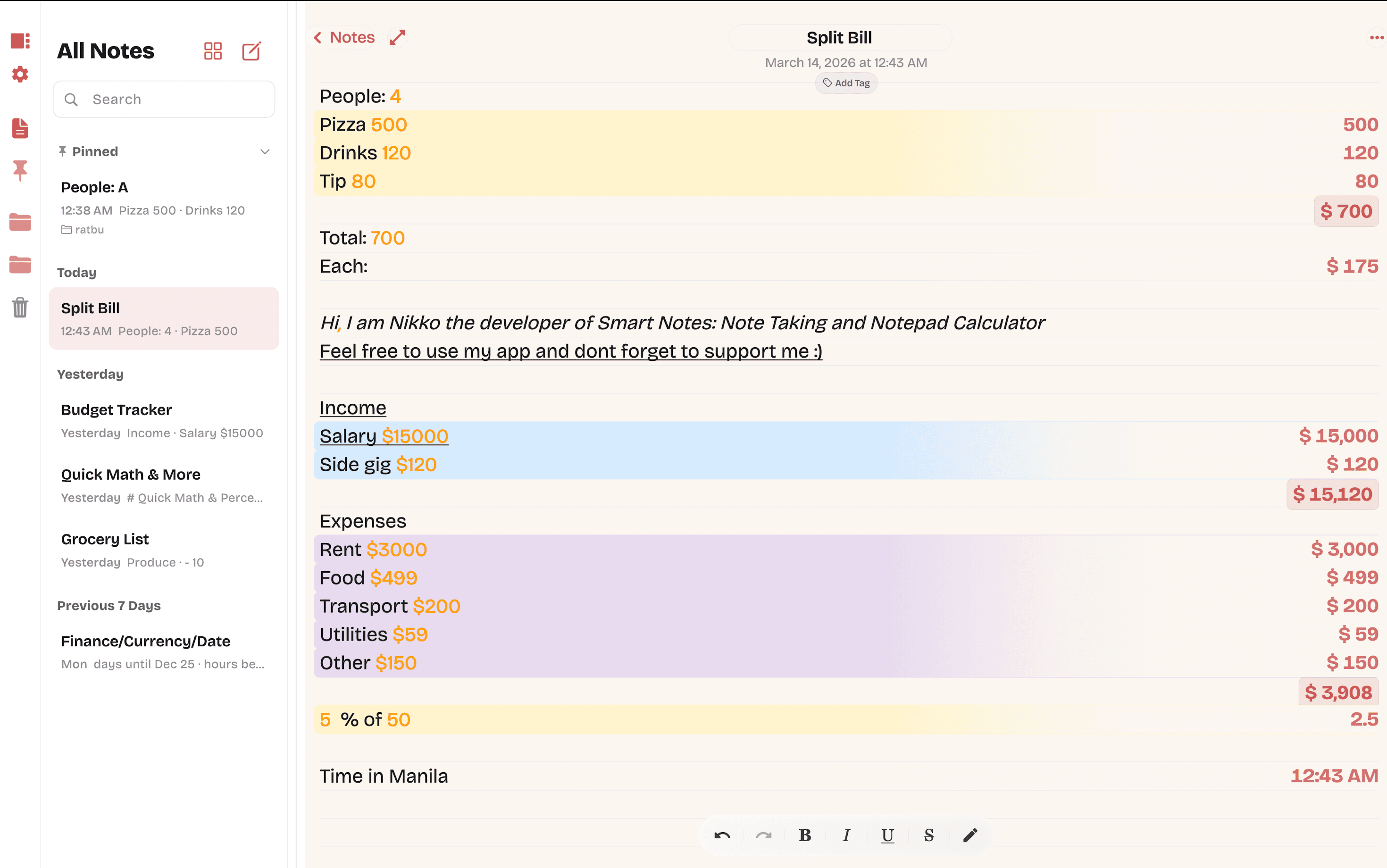
Split Bill Dinner · Fri
People: 4 4
Pizza 500500
Drinks 120120
Tip 8080
Total:$ 700
Each:$ 175
Write and calculate in one place. Type numbers next to your words and watch them total themselves — no switching apps, no spreadsheets, no fuss.
How it works
NoteCalc reads the numbers in your note the same way your eyes do — then quietly does the arithmetic in the margin. No formulas, no cells. Just sentences that happen to add up.
Split a bill without leaving your note. Change one number — everything else catches up.
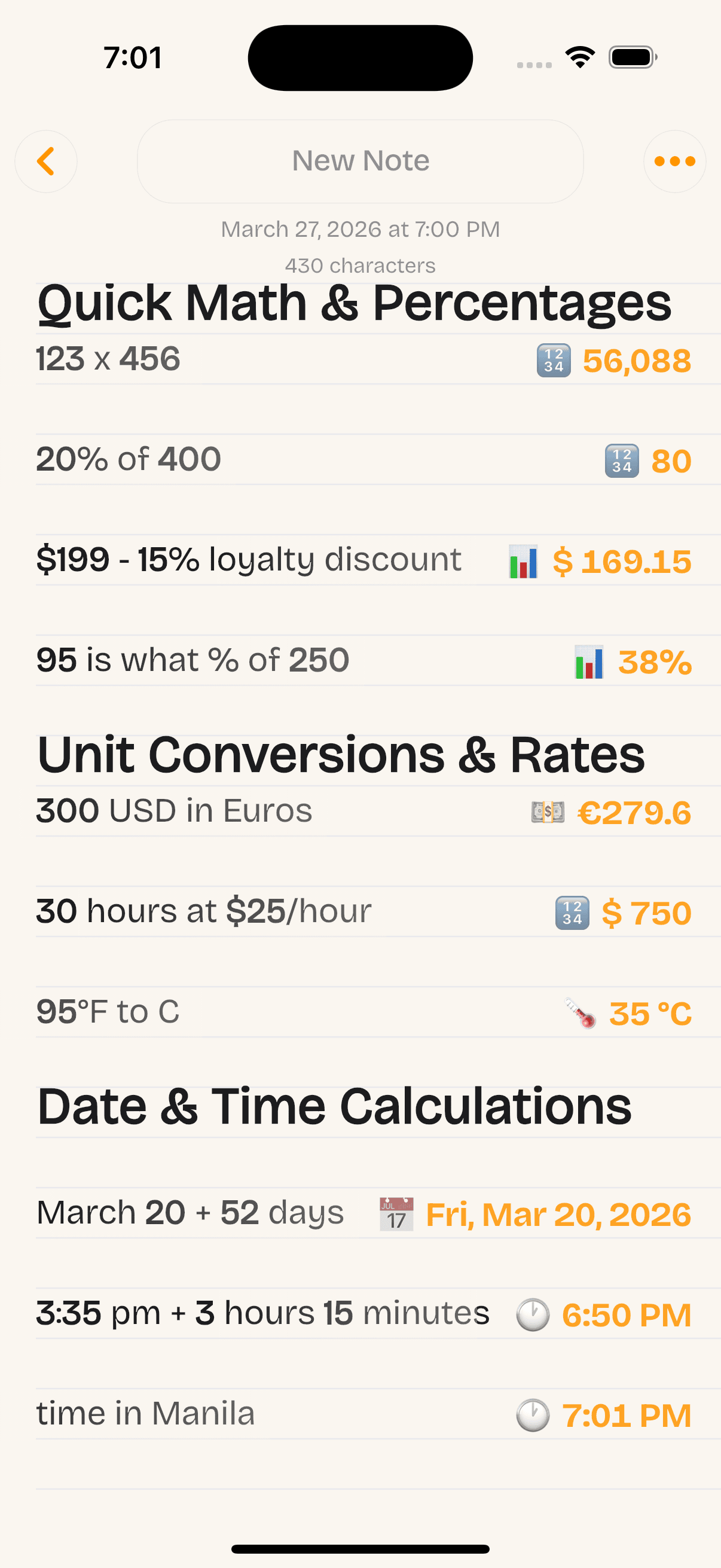
Percents & discounts, written out the way you'd say them. Plain English, exact answers.
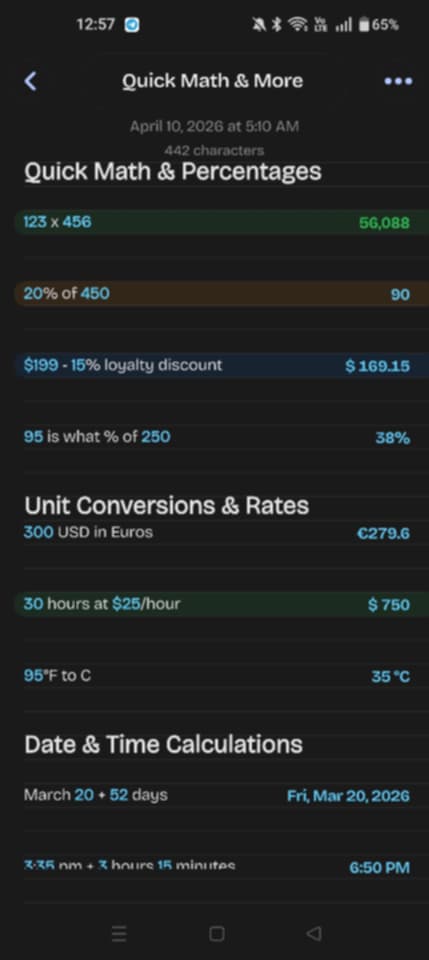
Units, currency & dates convert on the fly. Pack for a trip without opening a browser.
On every device you use
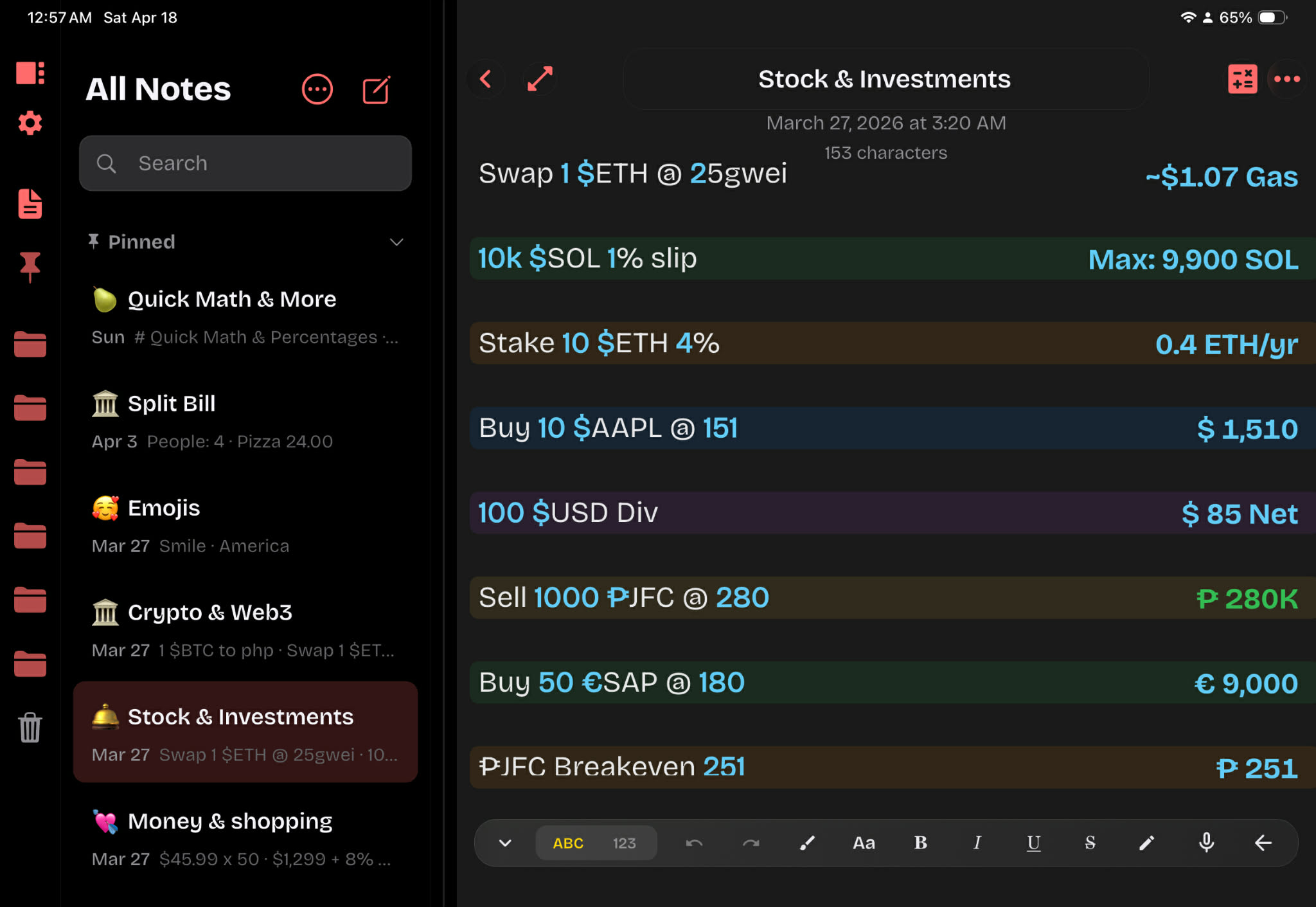
NoteCalc feels native wherever you open it — iOS, iPadOS, Android, and macOS. Pick a platform to peek inside.
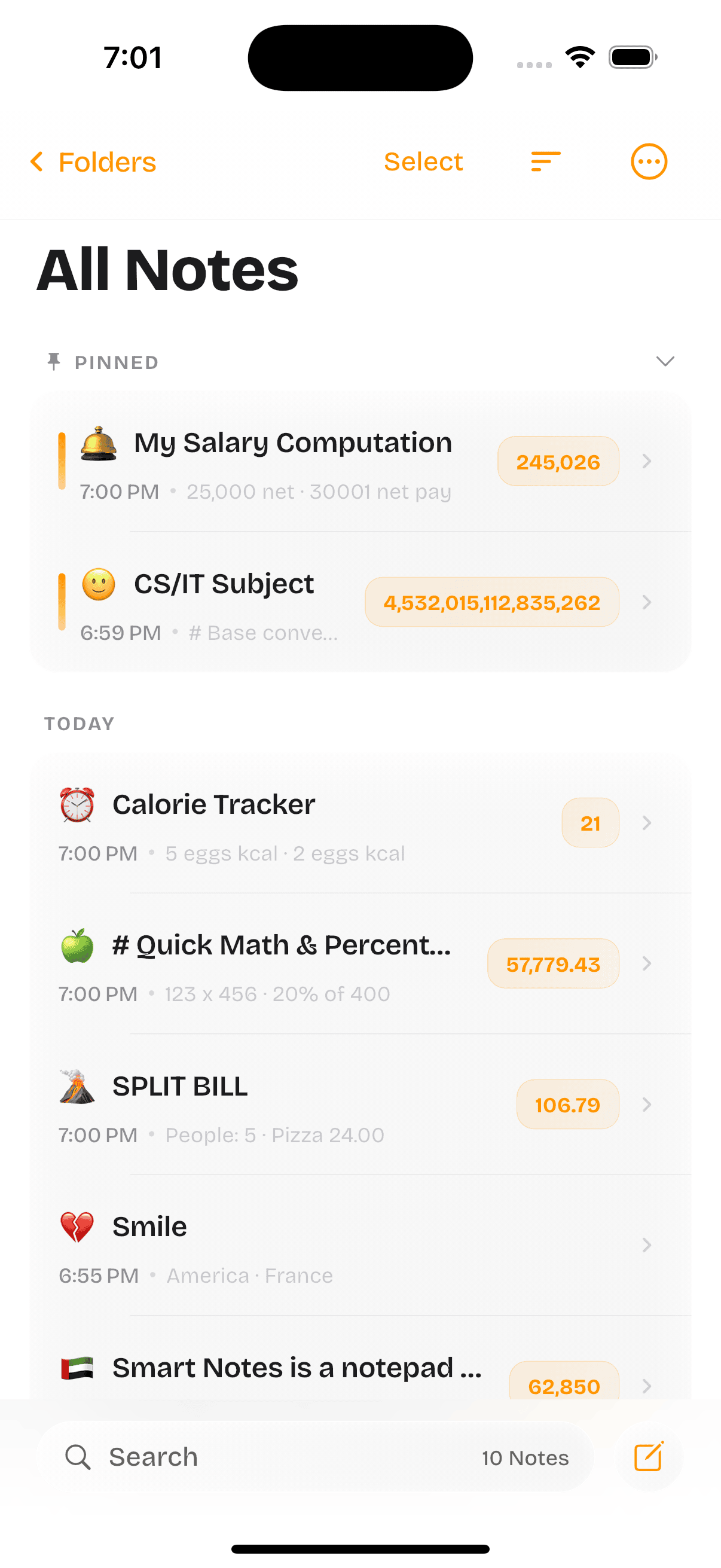
A color palette, emoji picker, and formatting bar that stay out of the way while you write. Pin the notes you use every day to the top of the list.
Built for the long haul
Organization, sync, and everyday polish — speech, scans, markets, charts, sketches, widgets, and more Pro highlights are in Compare below.
Group notes into folders, pin what you use daily, and keep the list tidy.
Optional sync across your devices. Your account, your cloud — we don’t host your notes.
Fast search, cream-paper and dark ink themes, Face ID / Touch ID / PIN for sensitive notebooks.
Compare
First: where each app runs natively. Then: a few NoteCalc Pro capabilities we call out on this site — with conservative marks for Soulver, Calca, Tydlig, and CalcNote based on their public pages and store listings (not a full spec sheet; apps change). NoteCalc’s platform mix: iPhone, iPad, Mac, and Android (no Windows build today).
| Capability | NoteCalc | Soulver | Calca | Tydlig | CalcNote |
|---|---|---|---|---|---|
| Native Android app Install from Google Play (or equivalent). | ✓ | — | — | — | ✓ |
| Native iPhone & iPad Install from the App Store. | ✓ | ✓ | ✓ | ✓ | — |
| Native Mac app Mac App Store or direct download from vendor. | ✓ | ✓ | ✓ | M1+ Mac | — |
| Native Windows desktop app Traditional PC app (not browser-only). | — | — | ✓ | — | — |
| NoteCalc Pro highlights (selected) | |||||
| Speech to text Dictation into the note as a first-class workflow (not only OS keyboard dictation). | ✓ | — | — | — | Varies |
| Live crypto, stocks & currency Live quotes / rates beside your note (not only static unit conversion). | ✓ | ✓ | Varies | — | — |
| Sketch pad Freehand drawing on the same page as calculations. | ✓ | Varies | — | Varies | — |
| Scan document to text Camera OCR into the note. | ✓ | — | — | — | — |
| Charts for notes Simple charts from rows of numbers inside a note. | ✓ | — | Varies | Varies | — |
| Widgets Home / lock screen widgets tied to notes or quick actions (where OS allows). | ✓ | Varies | — | Varies | Varies |
| Calorie tracker Meals / macros in-note with rolling totals. | ✓ | — | — | — | — |
| Advanced math Richer expressions & functions beyond a four-function line. | ✓ | ✓ | ✓ | Varies | Varies |
Platforms: Soulver and Tydlig are sold for Apple platforms (Tydlig on Mac requires Apple Silicon). Calca lists iOS, iPad, macOS, and Windows on calca.io. CalcNote on Google Play is Android-first; we don’t list it under iPhone/iPad because that listing is the Android product. NoteCalc: iPhone, iPad, Mac, Android per our own store pages — no Windows app right now.
Feature rows: Varies means a related capability with caveats (e.g. Soulver markets live currency, crypto & stock data and iPad Pencil / Scribble — not the same as our row wording). Calca emphasizes symbolic math and plotting on calca.io (offline; not the same as live market tiles). CalcNote may use Android system speech input. This isn’t exhaustive — confirm on each vendor’s site before you buy.
Tydlig is the App Store spelling (often searched as “Tydig”). More NoteCalc features (folders, sync, themes, etc.) live in Features above.
Changelog
Highlights from the latest release. The full story lives in the App Store release notes on each platform.
Line-by-line calculations stay responsive even when a note runs for hundreds of lines.
iCloud and Google Drive backups got smarter conflict handling—fewer surprises when you edit on two devices.
PDF and spreadsheet exports respect your highlights and row colours more faithfully.
Search tweaks, keyboard fixes on iPad, and a handful of crash reports squashed.
Feedback
Paraphrased from emails and store reviews—real stories from people who write and calculate in one place.
“I used to bounce between Notes and a calculator. Now I just type the bill and the totals appear. Sounds small—saves me every weekend.”
iPhone · budgeting groceries
“Finally an app that understands “20% off” and “300 USD in euros” without me learning syntax. The highlighter colours are a nice touch.”
Mac · freelance invoices
“Offline-first matters to me. Everything stays on my phone unless I turn sync on. No account wall to try it—huge plus.”
Android · field notes
If NoteCalc helped you, consider leaving a short review on the App Store or Google Play—it helps other people find the app.
Privacy, in plain English
“We don’t collect your personal data. Your notes and
calculations remain on your device under your control. We don’t
track you, we don’t sell your data, and we don’t send your
notes to our servers.”
— straight from our store listing. No fine print. Read the full policy →
Notes live in a local database on your phone or Mac. That’s it.
iCloud (Apple) or Google Drive (Android). Your account, your storage.
We don’t ship an SDK that logs every tap. Crash reports only.
Pricing
No account, no trial timers, no nags. Unlock Pro from inside the app if you want extras.
Everything you need to write and calculate.
For power users who want every lever.
Prices shown in the App Store / Google Play / Mac App Store in your local currency.
Questions
Yes. The free tier includes unlimited notes, folders, search, and the inline calculator on every platform. Pro adds sync extras, exports, and widgets.
No. Open the app and start writing. The only time you sign in is if you want to enable iCloud or Google Drive sync, which is entirely optional.
On iPhone / iPad / Mac we sync through your personal iCloud account. On Android we sync through your Google Drive. Your notes never touch our servers.
Yes — to PDF, to XLSX, or as plain text. Pro unlocks one-tap batch export for whole folders.
Apple Notes doesn’t calculate. Calca and Soulver are brilliant calculators but lighter on note-taking. NoteCalc sits in the middle: a real notebook with a proper calculator under the hood, on every device you own.
We don’t run analytics SDKs, we don’t sell data, and we don’t read your notes. Storage is on-device; sync is through your own iCloud / Google account. Crash reports are anonymous and opt-in.